
Welcome to TinyTrove
A private photo album and diary, locked on your phone
Save photos, words, places and how you felt. Without your passcode, others can't open it—even if they have your device. (The app may appear as TinyTrove, 人生小事 or TimeLock in stores; it's the same app.)
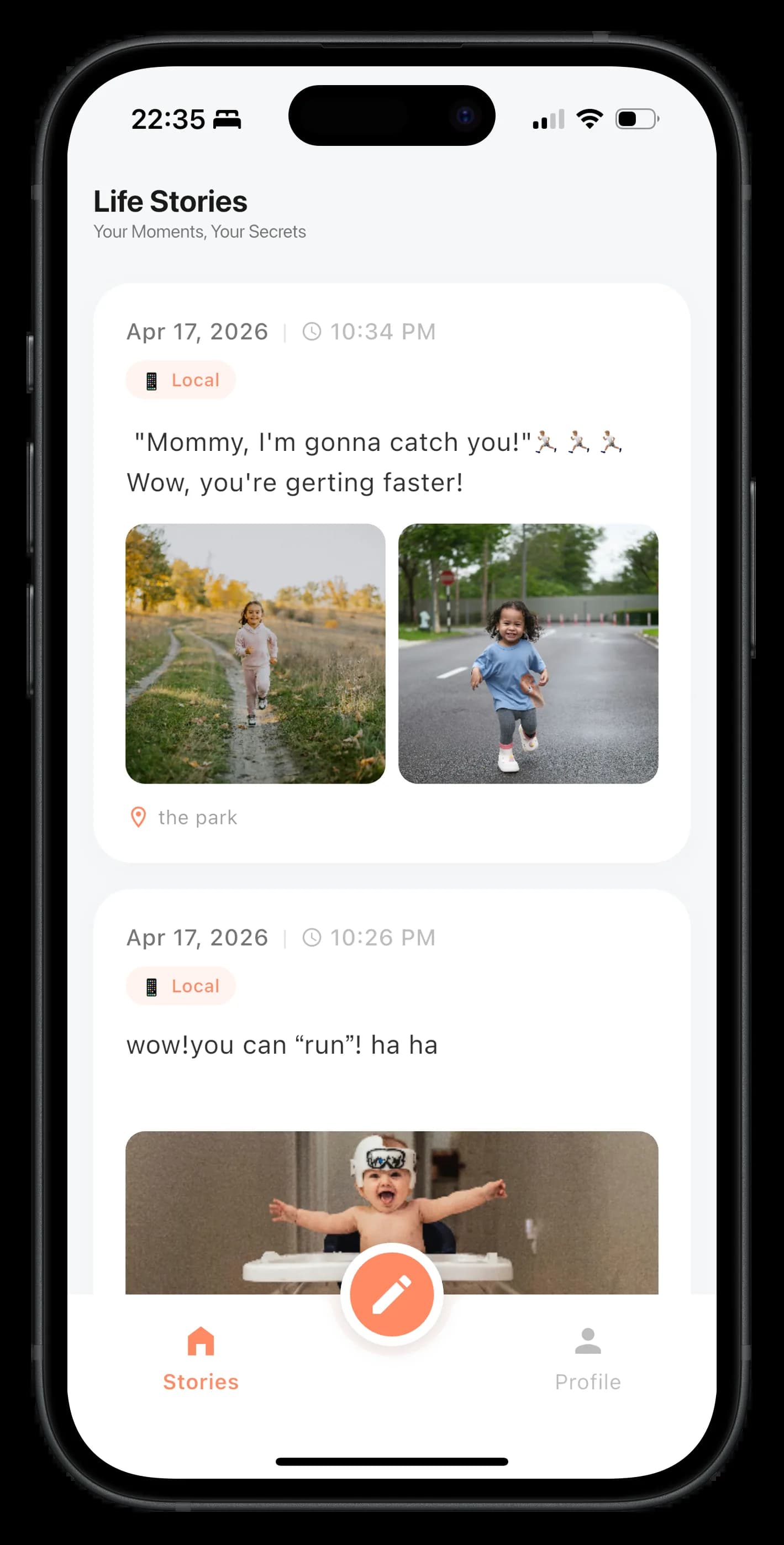
Who is it for?
If you're willing to take a little responsibility for your memories, we help you both capture and protect them.
You don't want platforms to own your story
You'd rather not hand over full‑resolution life, location and timelines entirely to one app or company.
You want memories after a new phone or reinstall
When you switch devices or reinstall, you still want your memories back—not gone in a flash.
You'll keep your own "keys"
You're OK spending two extra minutes storing your recovery key and passcode separately—real security can't be fully on autopilot.
First time? Try these four steps
A few minutes of setup, then you can record with peace of mind.
Skim the onboarding
Main idea: data stays mostly on your device, and you hold the keys.
Set a 6-digit passcode
This is your daily unlock. Avoid birthdays or 123456-style codes.
Back up your recovery key (must-do)
In Profile, use recovery key backup and save it offline (print, paper, air-gapped storage). Keep passcode and recovery key in different places—lose both and the content can't be opened.
Optional when you have time
Comfortable with cloud? Set up sync in cloud settings. Want extra safety? Export an encrypted backup archive to a computer or drive.
Stories for yourself deserve real protection
TinyTrove puts privacy first: where your stories live, how they’re stored and backed up is up to you.
Local encrypted storage
Your content is stored in an encrypted local database, not plain text. Even if the device is lost, your stories stay unreadable.
Separate passcode and backup key
Only you hold the key. Set an app passcode and backup key; we cannot recover or view your content.
Encrypted backup to your own storage
Back up encrypted data to your own storage (e.g. WebDAV). Transfer and storage are encrypted; we cannot decrypt your backup.
Pricing
Plans and prices match the in-app subscription. Purchase and subscribe in the app.
Free Plan
Basic features
Free
- Unlimited record storage (local)
- Local encryption protection
- Basic timeline browsing
- Multi-media publish
- AES-256 encryption
- Password security
- Basic backup
Pro Plan
Annual subscription
$19.9/year
- All free features
- WebDAV sync
- Watermark-free PDF album export
- Priority access to multiple templates
- Advanced search (coming soon)
- Priority support
- Unlimited export
Pro+ Plan
Lifetime purchase
$99.9
- All Pro features
- Lifetime access
- Lifetime updates
Subscribe and purchase in the app.
FAQ in plain language
Are my photos uploaded to your servers?
Normally your content stays mainly on your phone. Only when you connect your own cloud do encrypted files upload to the provider you choose. See the in-app privacy policy for details.
What if I forget my 6-digit passcode?
If you still have your recovery key, try in-app recovery. If both passcode and key are gone, the data can't be recovered—that's how serious encryption works.
What does "pending unlock" mean?
Content from another device was synced down, but this phone doesn't have that device's key yet, so it can't fully open. Follow on-screen prompts to import the right recovery key, or check membership notes in the app.
Why is the address sometimes vague?
It depends on map services and network; it doesn't affect saving your entries—precise address is optional.
Start keeping more of your story today
Spend 30 seconds saving one “small thing” – in a few years you’ll be glad you hit save.
Android coming soon. Subscribe and purchase in the app.